
As a grade-schooler, Skyler visited the Christa McAuliffe Space Education Center in Pleasant Grove, Utah, a spaceship simulator schools booked for field trips. He later said it was one of the first times he had to solve problems, make mistakes and work with a team. He went on to volunteer there and watched schools come back again and again. In his words, they were looking for ways to do it again, because it was so impactful for their kids.
The center closed in 2012. In 2013, friends asked Skyler, then a senior in BYU’s entrepreneurship program, to help revive it. The team first planned to rebuild the field trip. They then realized software could bring the same experience into every classroom, all year, in any subject, for less than a field trip costs. That realization became what is now Mission.io.
A Mission starts weeks before anyone presses Start. Take a middle school class studying how diseases spread. The teacher picks a Mission built on that unit and teaches the unit exactly as planned, with one addition: she tells the class they’re going to need this. From then on, every lesson is preparation for something the whole class will face together.
When the unit is ready, the teacher watches a five-minute Teacher Preview, which is the only prep. She writes a four-digit code on the board, and students join on whatever devices the school has. Nobody needs a login. For the next 30 to 45 minutes, the classroom becomes a city in the middle of an outbreak.
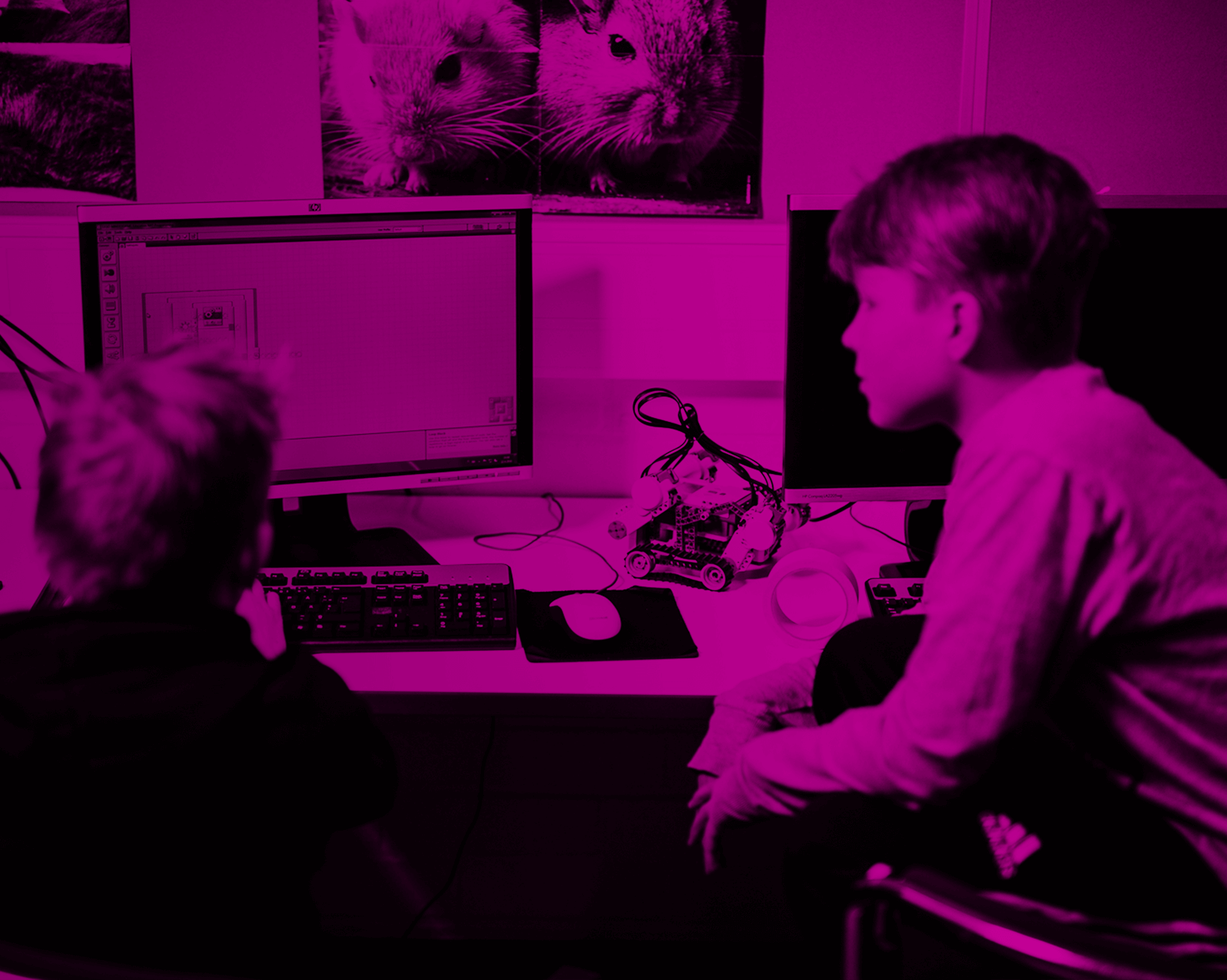
Students work in teams at stations, and each station holds part of the picture. One team tracks the spread while another weighs the evidence, and nobody can contain the outbreak alone. The story changes with every call the class makes. Our technology connects every student, runs the work at each station and moves the story forward. That leaves the teacher free to walk the room, ask the hard questions, push a team to defend its answer and notice who’s onto something.
Afterward, every student gets a report on how well they did. It’s built from their actions and performance across the whole Mission, and it covers what they know plus the human skills that Mission captured, such as collaboration and critical thinking. The test shows what students know. The report shows whether they can use it.
Mission.io began in 2013 as a single place. A team of volunteers revived a closed space-simulator field trip in Pleasant Grove, Utah, and ran it out of an abandoned church. Schools kept asking how to bring the experience back to their own buildings. We started by converting a school’s unused ball closet, then whole computer labs, and by 2020 Mission labs were running in more than 150 elementary and middle schools, most of them in Utah.
When schools closed in March 2020, the labs went quiet. We took the simulations online and ran Missions free for classes learning from home. That shift turned a room you had to build into software any teacher could open. By early 2024 more than 400 schools had used the platform. Today over 1,000 schools and a million students have run a Mission.
The spread now runs mostly through teachers. Mission.io is free for teachers, and a teacher can run a Mission on day one with nothing to install or learn first. Teachers who try one share it with colleagues, and when enough of a building is running Missions, the school or district licenses full access for everyone. Districts as large as Los Angeles Unified now use it alongside small rural districts like Piute County, Utah.
The first version of a Mission required building a room. We wired a school’s computer lab with ceiling lights and speakers so it could become a spaceship, and it covered elementary and middle school science. It worked, but only for schools with space and money to build a lab, and only for one subject.
So we rebuilt it as software. A Mission now runs on whatever devices a school already has, with a four-digit code on the board and no student logins. The library has grown past 40 Missions across science, math, ELA and social studies, and the settings range well beyond space: a time machine one week, a command center or a city in an outbreak the next.
The biggest addition is measurement. Teachers kept telling us they could see students collaborating and reasoning during a Mission but had no way to show it. Now every student gets a report on how well they did, built from what they did across the whole Mission, covering what they know plus the human skills that Mission captured. Our ESSA Level II rating, validated by Instructure, came out of the research behind that work.
Most of the rest came from teachers. A five-minute Teacher Preview replaced longer prep. The Communication Mission teaches a class to work as a crew before its first academic Mission. This year’s update added a rebuilt teacher dashboard, more languages, better text-to-speech and text scaling.
Create a free teacher account at mission.io. A free account comes with a set of Missions you can run right away, and it never expires.
Start with the Communication Mission, the one marked START HERE. It teaches your class to work as a crew, and every Mission after it goes better because of it. Plan on about 40 minutes for this first run.
Then pick a Mission built on a unit you’re about to teach. Teach the unit as planned, with one addition: tell your class early that they’re going to need it. When the unit is ready, watch the five-minute Teacher Preview on the Mission’s page, put the four-digit code on the board, and press Start. Students join on any tablet, laptop or Chromebook, with no logins.
During the Mission, our technology runs the stations and moves the story forward. Your job is the part you’re already good at: walk the room, ask the hard questions and push teams to back up their answers. Afterward, open the student reports to see who could apply what they learned.
Schools and districts that want full access for every teacher can reach us through Mission.io, and we’ll set up the whole faculty ourselves.

.png)